Support

Setting up your API Keys
The bot is designed to work with spreadbetting accounts only — CFD and other IG account types are not supported.
Step 1 — Open settings
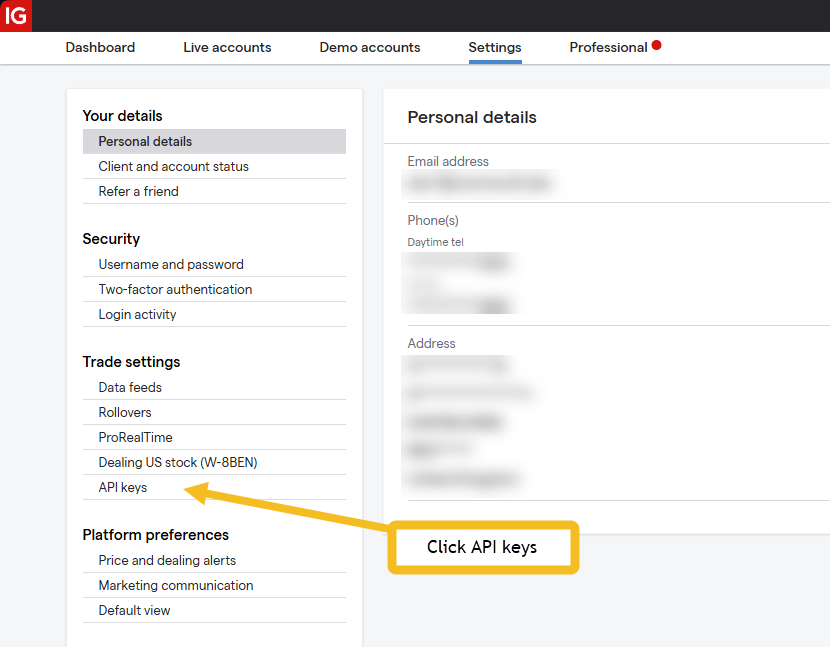
Log in to the IG website and navigate to the Settings section.
Step 2 — Select API Keys
From the left-hand menu, select API Keys.
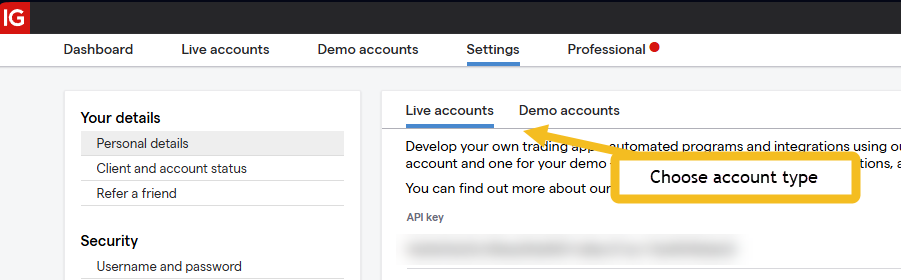
Step 3 — Choose account type
Choose either Live or Demo depending on which account you are setting up.
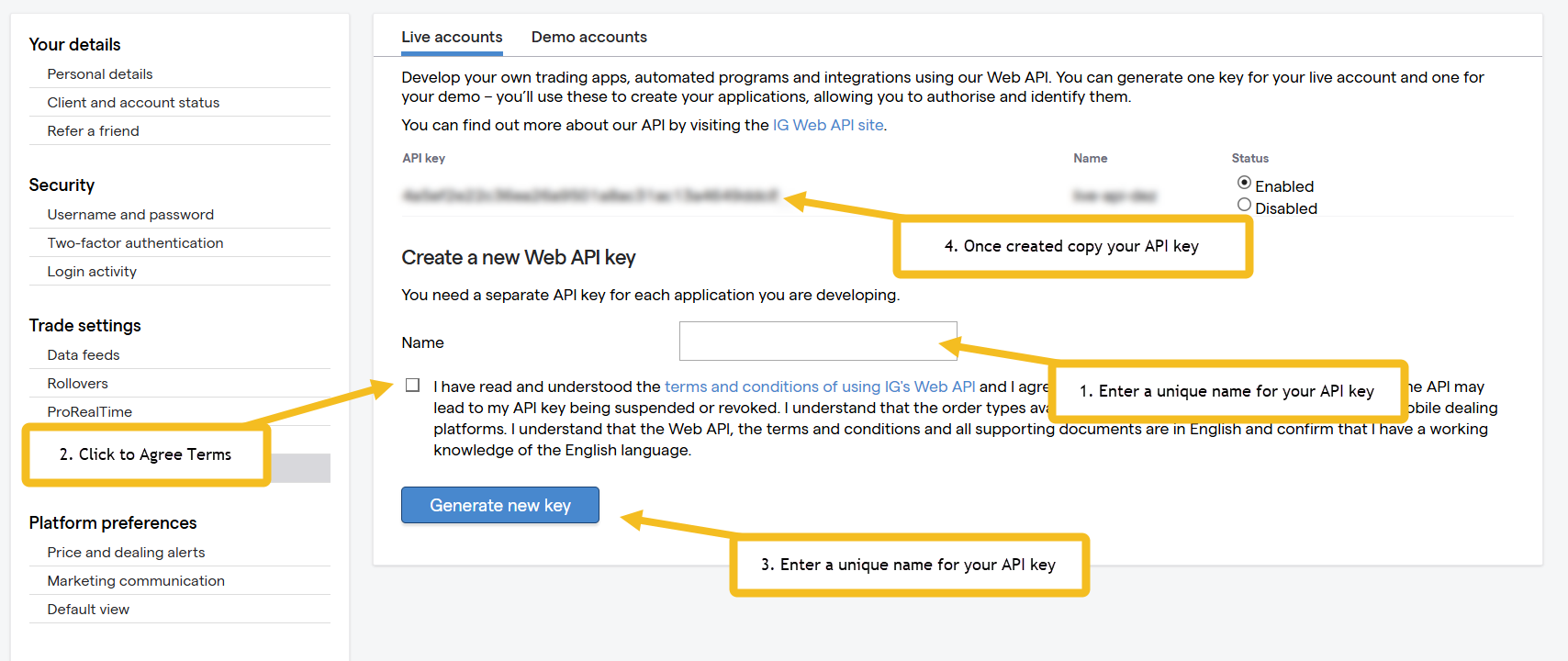
Live API setup
Your Live API uses the same login credentials you use to access the IG website.
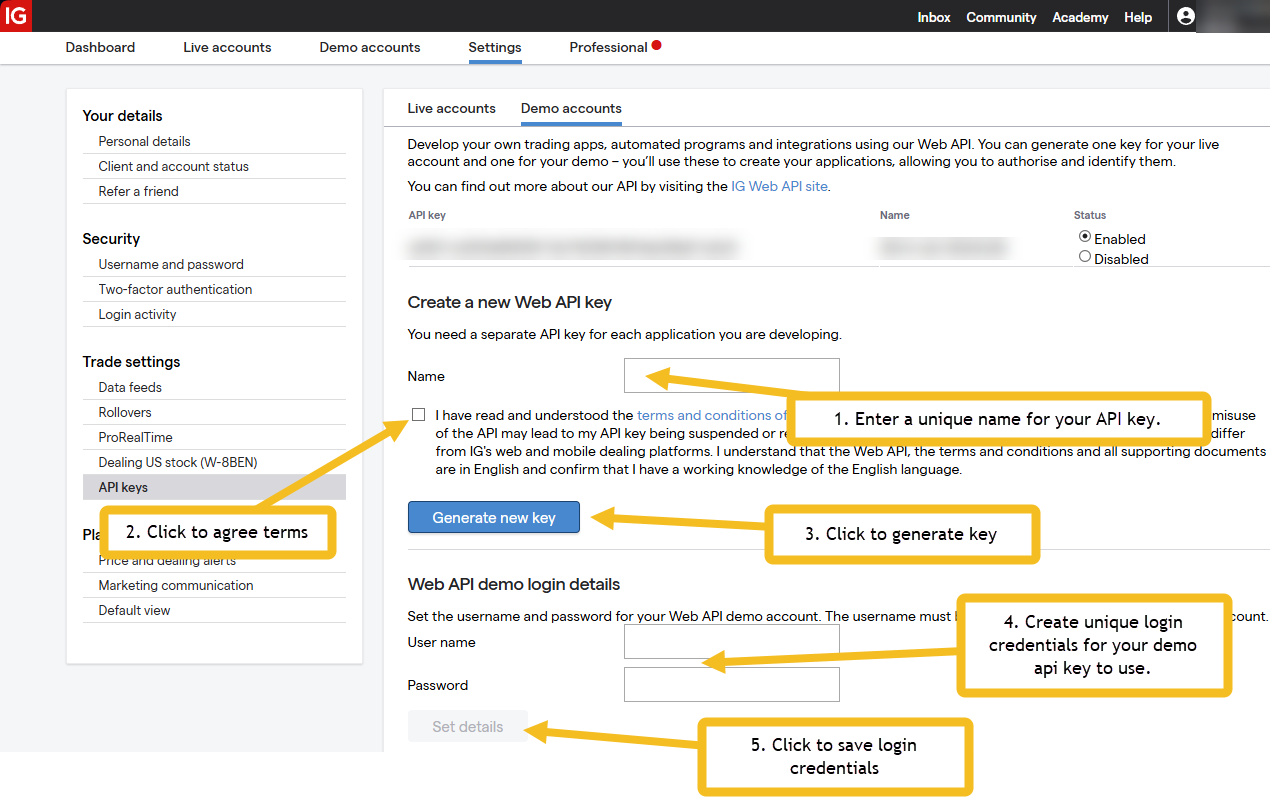
Demo API setup
Your Demo account uses separate login credentials and its own API key. These are distinct from your Live account credentials.
We have experienced occasional issues with Demo account setup due to internal IG login failures. If you encounter problems and your credentials are correct, please refer to the troubleshooting guide.